
AI Video Generator: Collart AI
Shotcut Video WorkshopPhotography
4.6762.00 Reviews
- Version
- 3.6.5
- Installs
- 5.00M
- Age Rating
- Teen
Screenshots
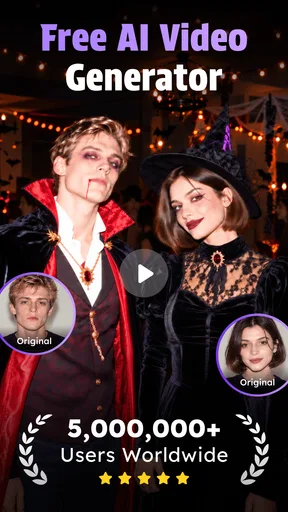
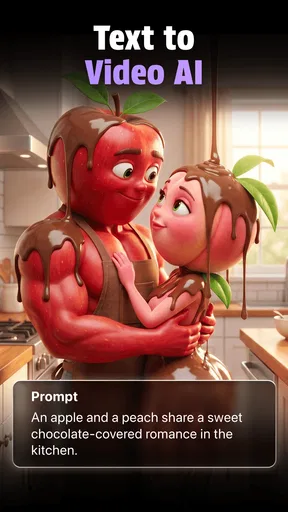
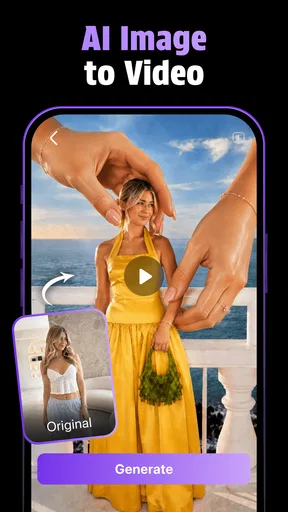
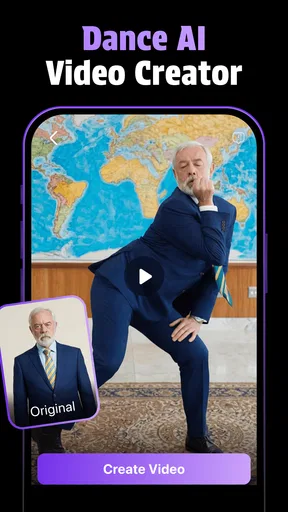
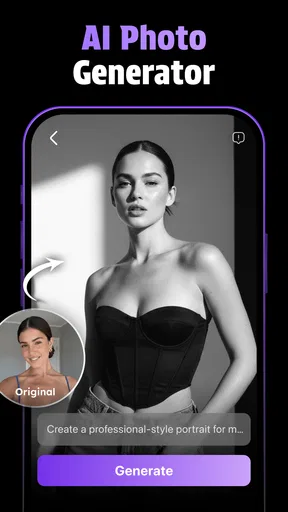
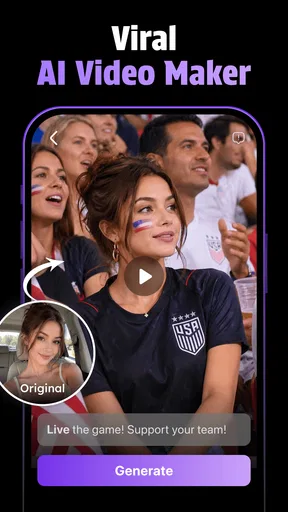
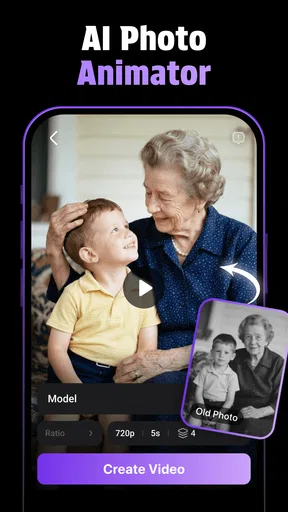
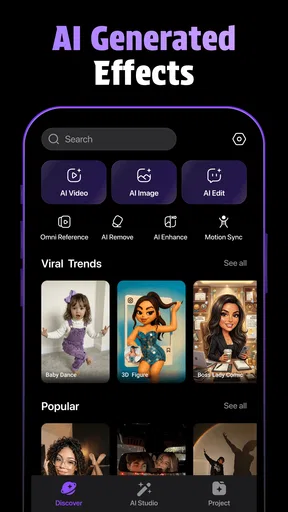
Our Review of AI Video Generator: Collart AI
 Analysis by Appyee
Hey there! Have you ever wanted to create videos without turning a small idea into a long editing session? I find that question useful when deciding whether to try an AI video app: the promise is speed, but the real test is whether the result gives me a sensible starting point without taking control away. AI Video Generator: Collart AI is aimed at that quick-creation space, and its mix of AI video and image generation makes it more than a conventional clip trimmer.
That difference matters most when I have a photo or a handful of moments and want to shape them into something shareable. I would approach Collart AI as a creative assistant for drafts, social posts, and experiments—not as a replacement for a careful editor when exact timing, consistent color, or frame-by-frame control is important. The distinction sets realistic expectations before the first render.
Getting Started with Collart AI
First things first, downloading AI Video Generator: Collart AI is a breeze. Once installed, the setup process is straightforward. The app guides you through the initial steps, ensuring you’re ready to dive into video creation without any hassle. It is a free photography app from Shotcut Video Workshop, with a 4.0 average from around 14 thousand ratings and more than a million installs. It is rated for Everyone, and its current version is 3.0.1.
The name can make it sound like a standard timeline editor, but the more useful way to think of it is as a tool for turning visual prompts and source images into short creative material. Its store summary points to image-to-video creation using Sora and Kling. That suggests a workflow where the starting image and the prompt do much of the creative work; it is not the same as assembling a detailed narrative from many carefully ordered clips.
Intuitive User Interface
One of the first things I noticed about Collart AI is how user-friendly it is. The layout is clean and intuitive, making it accessible even if you’re not tech-savvy. The main dashboard offers a variety of templates and tools, all neatly categorized so you can find what you need in no time.
For a new user, that approachable layout helps reduce the hesitation of opening an editor and facing an empty timeline. I would still take a moment to decide what the final video needs to do before choosing a direction. A portrait intended to become a subtle moving scene calls for a different prompt from a product image that needs a dramatic reveal. A specific description gives the generation process a clearer target than a string of broad style words.
A practical tip is to keep a clean copy of the original image before experimenting. If one generated result changes the subject too much, the untouched image gives you a reliable starting point for another attempt. That small habit also makes it easier to compare variations fairly instead of relying on memory.
Powerful Features
Now, let’s talk about the features. This app isn’t just about slapping some clips together. It offers a range of AI-powered tools that enhance your videos with minimal effort. Whether you want to add transitions, effects, or text overlays, Collart AI has got you covered. The app even suggests edits and improvements, which I found super helpful when I was stuck.
The app is free to download, but optional in-app purchases range from $1.99 to $119.99 per item. I would treat that wide range as a reason to check the cost attached to a particular tool before building a regular workflow around it. You can explore the free experience first, then decide whether a paid option solves a problem you actually have. A high-priced purchase is difficult to justify for an occasional experiment, while someone creating frequently may value a specific advanced tool enough to consider it.
Another standout feature is the music library. You can add background music to your videos from a vast selection of tracks, making it easy to find the perfect tune to match your vibe. Plus, the audio editing tools allow you to tweak the volume and timing with precision.
For a short social clip, I would make audio a finishing step rather than choosing a track before the visual direction is settled. A soundtrack can make a sequence feel polished, but it cannot fix a generated scene that does not match the subject. I would first decide whether the motion and framing work, then balance the music so it supports the visuals instead of competing with them. This order saves time when a visual attempt needs to be replaced.
AI Magic in Action
What sets Collart AI apart is its use of artificial intelligence. The AI analyzes your footage and recommends edits that enhance the overall presentation. From color correction to cropping, the AI does the heavy lifting, allowing you to focus on your creative vision.
I tested this with a few clips from my recent vacation. The app suggested a montage style with quick cuts and vibrant colors. I was amazed at how professional the final product looked. It was like having a personal editor in my pocket!
For image-to-video work, I would use a photo with a clear subject and a background that leaves room for the scene to move. A crowded image can give an AI more competing details to interpret, while a simpler composition makes it easier to judge whether the generated motion feels intentional. This is a useful trade-off: a dramatic prompt may look eye-catching, but a restrained one can preserve the identity of the person, place, or object in the source image more convincingly.
It also helps to think in short iterations. Rather than trying to describe every visual detail in one long prompt, I would change one meaningful element at a time—such as the setting, mood, or direction of movement—and compare the result. That makes it clearer which instruction improved the clip. It is especially useful when the first output looks attractive but drifts away from the image that made you want to create the video in the first place.
Speed, Heavy Use, and Reliability
AI creation involves more than tapping a button, so I would not plan an urgent post around an exact completion time. The app’s own editing flow includes rendering, and the original experience noted that longer videos can take a while. For image-to-video generation, the process also depends on the complexity of the request and the result you are aiming for. I treat the first attempt as a draft and leave room to review it rather than assuming the first output will be ready to publish.
Heavier sessions are the moments when expectations matter most: generating several alternatives, adjusting a result, and then adding music or other finishing touches can turn a quick idea into a longer task. I would avoid making every change at once. Save or keep track of the version that is closest to the goal, then experiment from there where the app allows. That way, a less successful variation does not erase the creative direction that was already working.
Reliability is also about the quality of the source material. A sharp, well-framed image gives the generator a stronger foundation than a blurry picture or one with the subject partly hidden. If an output looks odd, I would first try a simpler prompt or a different source image before deciding the app itself has failed. AI results can be unpredictable by nature; that flexibility is exciting for exploration, but it makes the tool less suitable when a project requires every detail to remain consistent.
Device Constraints and Everyday Use
Collart AI supports Android devices running version 8.0 or later. That gives many Android users a straightforward compatibility check, but operating-system support alone does not guarantee the same experience on every device. AI-focused editing can be demanding, and I would keep a device from becoming overloaded by closing other intensive apps and avoiding a large batch of tasks at once. If the phone feels warm or the workflow slows during a long session, taking a pause is more sensible than repeatedly restarting the same job.
Imagine taking a portrait on a weekend walk and wanting a short, lively post for friends that evening. I would choose the clearest photo, describe a modest movement that suits the scene, review the generated result, and only then add music or text. If the motion distorts a face or changes an important detail, I would try a calmer prompt rather than piling on effects. That workflow uses the app for what it does well—quick creative transformation—while keeping a person in charge of whether the result is actually usable.
This makes the app a better fit for casual creators, people testing visual ideas, and anyone who wants a low-effort way to animate or reshape an image. It is less suited to users who need precise control over every cut, a fixed sequence of shots, or dependable continuity across a long piece. For those jobs, a conventional editor with a timeline and detailed manual controls is the better choice. A dedicated photo editor is also preferable when the goal is simply to retouch a still image without generating motion.
Sharing is Caring
Once you’ve crafted your masterpiece, sharing it is as simple as pie. With direct integration to social media platforms, you can upload your videos directly from the app. Whether it’s Instagram, Facebook, or TikTok, Collart AI ensures your videos look great on any platform.
Before sharing, I would watch the full result once with the sound on and once with the sound off. The first check catches distracting music levels or timing; the second reveals whether the visual idea still makes sense without audio. I would also check the framing on the intended platform, especially if important details sit close to the edge. That quick review can prevent a polished-looking clip from losing its subject in a cropped feed preview.
Compared with the usual alternatives, Collart AI is more about getting from an idea to an AI-generated visual quickly than about giving the editor exhaustive manual control. Traditional mobile video editors are generally the more comfortable choice for precise clip order, timing, and repeatable edits. Collart AI is appealing when the creative question is “What could this image become?” rather than “How do I assemble these exact shots?” The best choice depends on which question you need answered.
Room for Improvement
While Collart AI is pretty awesome, no app is perfect. I did notice that rendering times can be a bit slow, especially for longer videos. It’s not a dealbreaker, but something to keep in mind if you’re in a hurry. Also, while the app offers a lot of free features, some advanced tools require a subscription.
That said, the subscription is reasonably priced, and considering the quality of the output, it might be worth it if you’re planning to use the app frequently.
I would be cautious about treating the app as a one-tap solution for client work or anything where a person must look exactly as they do in the source photo. Generated motion can be imaginative, but imagination is not the same as fidelity. For a casual post, an unexpected change may be part of the fun; for a product listing, family keepsake, or instructional clip, that same change can make the output unsuitable. In those cases, preserving the original image and using a conventional editor for controlled movement is the safer route.
Who Should Try It, and When to Choose Something Else
If you enjoy experimenting with images, want a quick starting point for social content, or often find yourself with a photo that could use a little movement, Collart AI is worth exploring. Its free entry point makes it easier to test whether AI creation fits your style before paying for optional items. The app is also a reasonable choice for someone who prefers guided tools over building every edit manually.
I would skip it if your main need is professional-grade timeline editing, exact shot-by-shot pacing, or a predictable output that must preserve every visual detail. It is also a poor match for a last-minute deadline if you have no time to review and revise a generated result. In those situations, a familiar editor with manual controls is less surprising, even if it takes more hands-on work.
One question many people have is whether a free download means every useful option is free. It does not: the app includes in-app purchases, so I would check the price of an option before selecting it and avoid assuming a feature is included at no cost. Another practical question is whether it suits older Android phones; the minimum supported system is Android 8.0, though the smoothness of a demanding creative session can still vary by device.
People also wonder whether AI generation will reliably preserve a photo’s subject. I would not count on perfect consistency from one attempt, which is why source-image choice and restrained prompts matter. And if the question is whether this can replace a normal video editor, my answer is only for simple, exploratory work: it can help create a visual idea, while a timeline editor remains better for exact control and dependable assembly.
In conclusion, AI Video Generator: Collart AI is a fantastic tool for anyone looking to create professional-quality videos with ease. Its intuitive interface, powerful features, and smart AI capabilities make it a standout choice in the crowded world of video editing apps. Whether you’re a casual creator or a budding influencer, this app is definitely worth checking out. Happy editing!
Privacy and Permissions
See what permissions an app requests and how it handles your data.
- Phone
- read phone status and identity
- Photos/Media/Files
- read the contents of your USB storage, modify or delete the contents of your USB storage
- Storage
- read the contents of your USB storage, modify or delete the contents of your USB storage
- Camera
- take pictures and videos
- Wi-Fi connection information
- view Wi-Fi connections
- Device ID & call information
- read phone status and identity
- Other
- view network connections, full network access, control vibration, prevent device from sleeping, Google Play license check, read Google service configuration
Verdict
Strengths of AI Video Generator: Collart AI
- User-friendly interface, easy to navigate.
- Wide variety of templates available.
- Fast video rendering speeds.
- Integration with popular social media platforms.
- Regular updates with new features.
Limitations of AI Video Generator: Collart AI
- Limited free version features.
- Occasional app crashes reported.
- Requires internet for most functions.
- Some templates lack customization.
- Subscription can be pricey over time.
Other Releases by Shotcut Video Workshop
View All
Video Downloader, Download All
Video Players & Editors4.5

AI Video Editor: ShotCut AI
Video Players & Editors4.2

AI Photo Generator: Muselab AI
Photography4.6
Similar Picks in This Category
View All
Google Photos
Google LLC4.4

Gallery
Google LLC4.2

Picsart AI Photo Editor, Video
PicsArt, Inc.3.9

B612 AI Photo&Video Editor
SNOW Corporation4.1

BeautyPlus-Selfie Photo Editor
PIXOCIAL TECHNOLOGY (SINGAPORE) PTE. LTD.4.5

Remini - AI Photo Enhancer
Bending Spoons4.1
Frequently Asked Questions
What platforms is Collart AI available on?
Collart AI is available for both Android and iOS platforms. Users can download it from the Google Play Store or the Apple App Store. Ensure that your device meets the minimum operating system requirements for a smooth experience. Regular updates are provided to enhance functionality and security.
How does Collart AI generate videos from text prompts?
Collart AI utilizes advanced AI algorithms to transform text prompts into engaging videos. The app analyzes the text to generate relevant visuals and animations, creating a cohesive video. Users can input their text, and the AI works to produce a professional-looking video in minutes without requiring extensive editing skills.
Are there customization options available in Collart AI?
Yes, Collart AI offers a variety of customization options. Users can select from different templates, animations, and visual effects to tailor the video to their preferences. Additionally, you can adjust the color schemes, fonts, and music to better match the tone and style of your content, providing a personalized touch.
Is Collart AI suitable for beginners with no editing experience?
Absolutely. Collart AI is designed to be user-friendly, making it ideal for both beginners and experienced users. Its intuitive interface guides you through the video creation process, eliminating the need for prior editing knowledge. The app provides helpful tips and suggestions to ensure a smooth and enjoyable user experience.
Does Collart AI offer any support or tutorials?
Yes, Collart AI provides extensive support and tutorials. Users can access a comprehensive help section within the app, which includes step-by-step guides, FAQs, and video tutorials. Additionally, customer support is available to assist with any questions or technical issues, ensuring users can make the most of the app's features.
